Calculating your GPA accurately is essential for every University of Florida student, whether you are aiming for Dean’s List, maintaining scholarship eligibility, or planning your graduation path. Our UF GPA Calculator simplifies this process by following the official UF Grading System, accounting for letter grades, plus/minus distinctions, and course credit hours.
With real examples, such as a 4-credit course with an A- or a 3-credit course with a B+, students can clearly see how each class impacts their semester GPA. This tool helps you understand your academic performance, make informed course decisions, and strategically plan for academic success at UF.
UF Grading System
The University of Florida operates on a comprehensive grading system that assigns specific grade points to letter grades. This system forms the mathematical foundation of all GPA calculations and academic assessments at the institution. Understanding this intricate system is crucial for accurately assessing your academic performance and making strategic decisions about course selection.
UF Grade Scale: A (4.0), A- (3.67), B+ (3.33), B (3.0), B- (2.67), C+ (2.33), C (2.0), C- (1.67), D+ (1.33), D (1.0), D- (0.67), and F (0.0).
Each grade carries a specific numerical value that directly impacts your GPA calculation. The precision of these grade point values, particularly the use of plus and minus designations, allows for more nuanced academic assessment compared to simpler grading systems.
Beyond standard letter grades, UF also utilizes several non-GPA grades that don't factor into your GPA calculation. These include grades such as W (Withdrawal), I (Incomplete), P (Pass), NP (No Pass), AU (Audit), S (Satisfactory), and U (Unsatisfactory). While these grades don't directly affect your numerical GPA, they can impact your academic standing in other significant ways.
These non-GPA grades can affect your completion rate, credit hour accumulation toward degree requirements, and financial aid eligibility. They also influence overall academic progress indicators that the university monitors for various academic programs and requirements.
Credit hours play a pivotal role in GPA calculations at UF. They represent the weight each course carries in your overall academic record and determine how much influence each grade has on your cumulative academic performance. A three-credit course has three times the impact on your GPA compared to a one-credit course.
This weighted system ensures that more substantial courses appropriately influence your cumulative academic record. It provides a fair representation of your overall academic achievement by giving more weight to courses that typically require greater time investment and cover more comprehensive material.
How to Use UF GPA Calculator
- Enter Subject Name: Add each course you are taking this semester with the correct name or code.
- Enter Credit Hours: Input the exact credit hours for each course; remember, higher-credit courses affect your GPA more.
- Select Grade: Choose the grade you received or expect to receive, including plus/minus distinctions according to the UF Grading System.
- Click Calculate: Press the calculate button to instantly generate your semester GPA.
- Verify Results: Check the GPA output to ensure all course names, credit hours, and grades are correct for accurate calculation.
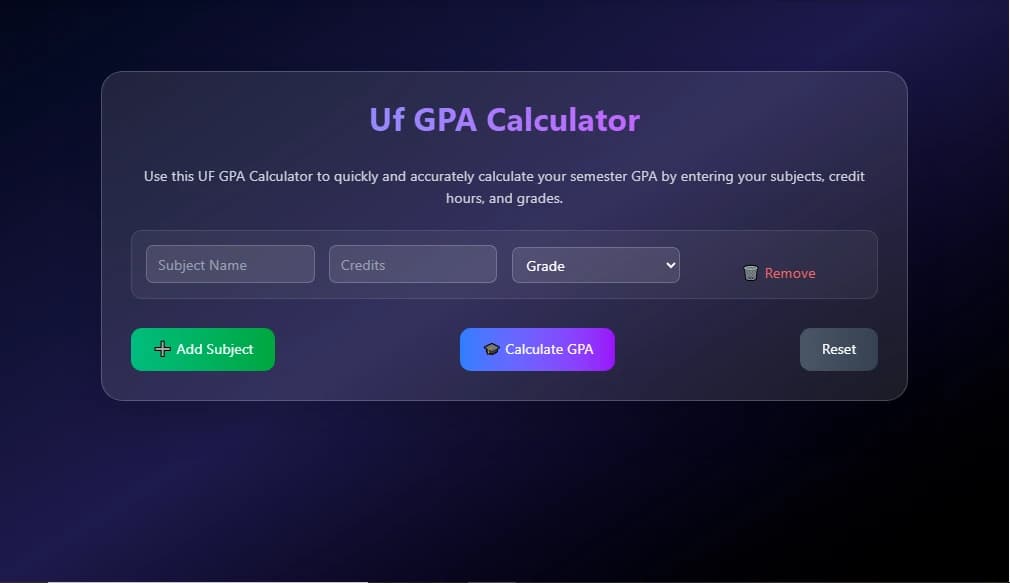
UF GPA Calculator: Step-by-Step Semester Calculation
Calculating your semester GPA at the University of Florida is straightforward when you understand the UF Grading System and the GPA calculation process. Each course contributes quality points, calculated by multiplying the grade points earned by the course’s credit hours. The cumulative GPA is then the sum of all quality points divided by the total credit hours attempted.
| Course | Grade | Credit Hours | Quality Points (Grade × Credits) |
|---|---|---|---|
| ENC 1101 | A (4.0) | 3 | 12.0 |
| MAC 2311 | B+ (3.33) | 4 | 13.32 |
| CHM 1045 | A- (3.67) | 4 | 14.68 |
| PSY 2012 | B (3.0) | 3 | 9.0 |
| Total Quality Points / Credit Hours | 49.0 ÷ 14 = 3.50 GPA | ||
Advanced GPA Planning at UF
Strategic planning is key to maximizing your academic performance at UF. The UF GPA Calculator isn’t just for calculating your current GPA—it’s a powerful tool for planning future semesters. By analyzing the impact of high-credit courses, retaking courses for grade improvement, and monitoring GPA trends, students can make informed decisions to achieve scholarships, Dean’s List recognition, or graduation honors.
Impact of High-Credit Courses on GPA
High-credit courses have a significant effect on your cumulative GPA because each credit contributes proportionally to the total. For example, a 4- or 5-credit course will impact your GPA much more than a 1- or 2-credit course. Using the GPA UF Calculator, you can simulate grade scenarios to see how excelling in these courses can boost your overall GPA. Understanding this relationship helps you prioritize study time and strategically allocate effort toward courses that matter most for academic success.
Retaking Courses to Improve Your UF GPA
UF allows students to retake certain courses under its grade replacement policy. Retaking courses can significantly raise your GPA if a higher grade replaces a previous lower grade. By using the GPA UF Calculator, you can plan which courses to retake for maximum GPA improvement. Input old and new grades in the tool to calculate projected improvements and make informed decisions about repeating classes strategically.
Planning for Dean’s List and Graduation Honors
Achieving Dean’s List or graduation honors requires careful GPA monitoring and planning according to the UF Honors criteria. With the UF GPA Calculator, you can set target grades and simulate semester outcomes to ensure your GPA meets the minimum requirements for academic recognition. By understanding how your UF Grading System works, including plus/minus distinctions and credit weighting, you can plan semesters to maximize GPA points and stay on track for honors or scholarships.
Using GPA Trends to Select Electives
Analyzing GPA trends across semesters can guide elective course selection for optimal GPA outcomes. Using the GPA UF Calculator, track which courses historically impact your GPA the most, and choose electives that align with your academic strengths. This strategic approach ensures that every course contributes positively to your cumulative GPA, allowing smarter decisions when balancing challenging and manageable courses.
Advantages of Using This Calculator
⚡ Speed & Accuracy
Eliminate manual calculation errors and get instant results for better academic decision-making.
📊 Scenario Planning
Model different grade scenarios to understand the impact of course performance on your GPA.
📈 Progress Tracking
Maintain calculation history to track academic progress and identify improvement trends.
🎯 Goal Setting
Determine required grades for achieving specific GPA targets and academic honors.
A dedicated UF GPA calculator offers numerous advantages over manual calculation methods, starting with speed and accuracy. Manual GPA calculations are not only time-consuming but also prone to mathematical mistakes, particularly when dealing with multiple courses and complex grade point conversions. Fast and accurate calculations enable you to quickly assess your current academic standing and make informed decisions about course planning.
The calculator also eliminates the stress and uncertainty that comes with manual calculations. When you know your GPA is calculated accurately, you can make confident decisions about course selection, study time allocation, and academic goal setting without worrying about computational errors.
Tips for Maximizing GPA at UF
💡 Pro Tips for GPA Success
- Focus study efforts on GPA-impacting courses
- Consider strategic course retakes where policies allow
- Understand Dean's List and honors requirements
- Balance challenging courses with manageable ones
- Utilize UF's academic support resources
To maximize your GPA at UF, focus your primary attention and study efforts on GPA-impacting courses rather than spreading your energy equally across all academic activities. Strategic course selection and grade management can significantly impact your overall academic record and future opportunities.
Consider retaking courses where UF's policies allow grade replacement. This strategy can substantially improve your cumulative GPA by replacing lower grades with higher ones. However, be sure to understand the university's specific retake policies and their impact on your transcript and academic record before making this decision.
Understanding UF's Dean's List requirements, graduation honors criteria, and other academic recognition standards helps you set concrete goals. These benchmarks provide targets for developing strategies to achieve specific GPA levels that align with your academic and career objectives.
Conclusion
Mastering your semester GPA is a key step toward academic excellence at the University of Florida. Using the UF GPA Calculator allows you to calculate accurate GPAs, understand the influence of high-credit courses, and plan for Dean’s List, graduation honors, and future academic goals.
By analyzing your semester results with the UF Grading System, you gain actionable insights to improve performance, track progress, and make strategic decisions for a successful UF journey. Regular GPA tracking empowers you to stay on top of your academic game and achieve your full potential.
FAQs – UF GPA Calculator
1. What is the UF GPA Calculator?
The UF GPA Calculator is an online tool that helps University of Florida students calculate their semester or cumulative GPA accurately using the official UF Grading System.
2. How do I calculate my UF GPA manually?
To calculate GPA manually, multiply each course's grade points by its credit hours, sum the total quality points, and divide by total credit hours. For example, a 3-credit B course (3.0 × 3 = 9 quality points) and a 4-credit A- course (3.67 × 4 = 14.68 quality points) yield a total of 23.68 ÷ 7 = 3.38 GPA.
3. Do high-credit courses affect my GPA more?
Yes, courses with higher credit hours carry more weight in GPA calculations. A 4–5 credit course impacts your semester GPA significantly more than a 1–3 credit course.
4. Can retaking a course improve my UF GPA?
Absolutely. UF’s grade replacement policies allow students to retake eligible courses to replace lower grades, which can boost cumulative GPA when done strategically.
5. How does the UF Grading System handle plus/minus grades?
UF assigns specific grade points to letter grades with plus/minus distinctions (e.g., A- = 3.67, B+ = 3.33). Using this system ensures precise GPA calculations and accurate reflection of your performance.
6. Do Pass/Fail courses affect GPA at UF?
No. Grades such as P (Pass) or NP (No Pass) do not contribute to GPA calculations but still fulfill course requirements and count toward academic progress.
7. How can I plan for Dean’s List or graduation honors?
By calculating GPA using past performance and potential grades, students can set targets for each semester, prioritize high-credit courses, and ensure they meet the GPA thresholds for Dean’s List or graduation honors.
8. How can GPA trends help in selecting electives?
Analyzing GPA trends across semesters allows you to choose electives that maximize your performance, avoid courses that historically lower your GPA, and strategically balance challenging and manageable classes.